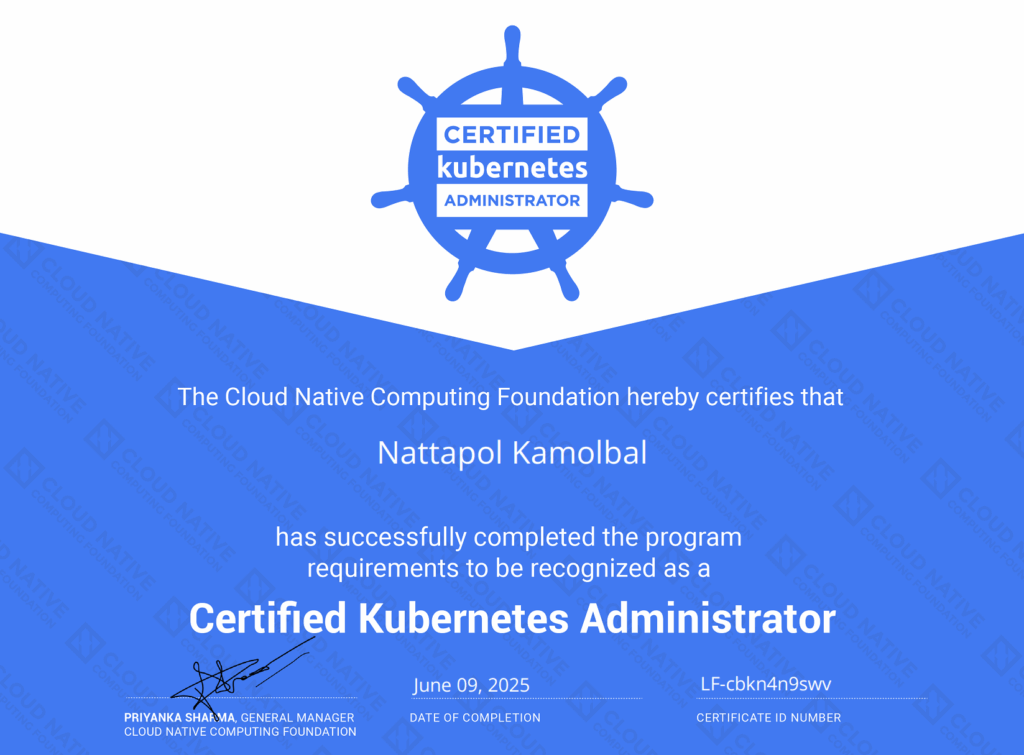
I took the Certified Kubernetes Administrator (CKA) exam on June 9, 2025, and passed it on the first try! You can verify my certificate here.
In this article, I’ll share my CKA journey, how I prepared, what resources I used, and how I went through it. I’ll also give you some tips that I would have liked to know when I started this journey. I hope this will answer a lot of your questions and help with your CKA exam preparation.
What is CKA
CKA is one of the most famous Kubernetes certifications from CNCF (Cloud Native Computing Foundation), alongside CKAD and CKS.
- CKA – Certified Kubernetes Administrator
- CKAD – Certified Kubernetes Application Developer
- CKS – Certified Kubernetes Security Specialist
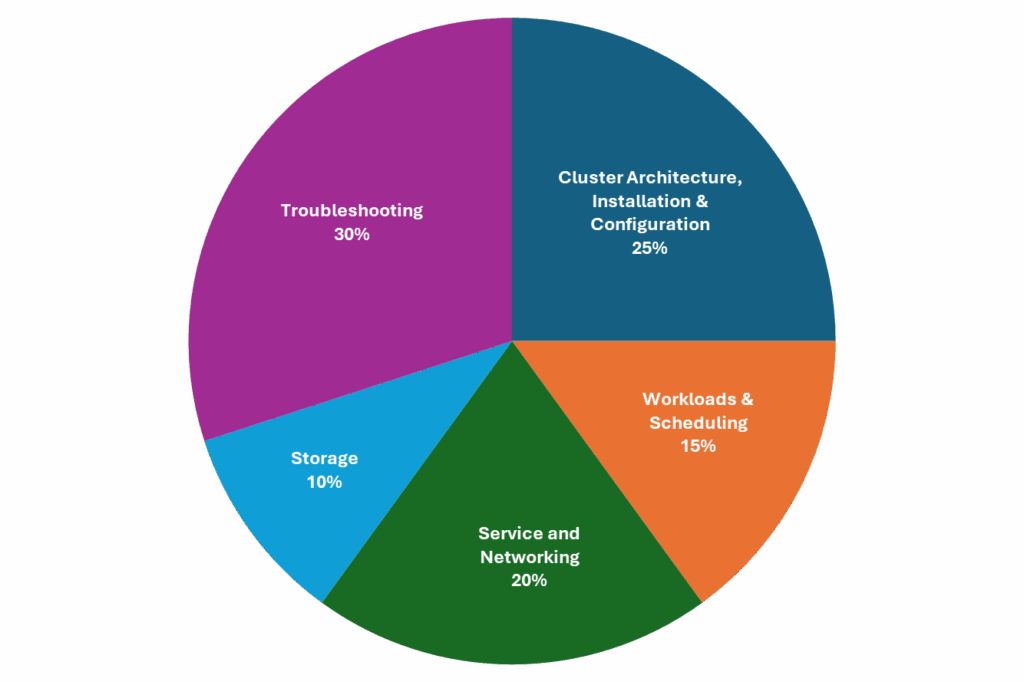
As the name implies, CKA is for Kubernetes administrators. The exam covers the topics from designing the architecture to setting everything up and fixing issues. Here is the list of exam topics and their weights.
- Cluster Architecture, Installation & Configuration 25%
- Workloads & Scheduling 15%
- Service and Networking 20%
- Storage 10%
- Troubleshooting 30%
Unlike other certificate exams, CKA is a hands-on exam. This means that it gives you tasks to complete, and you have to SSH into the terminal and type all the commands.
The exam is 2 hours long. There are 15 – 20 tasks. You need to get 66% or more to pass the exam. They allow you to open the official Kubernetes, Helm, and Gateway API documentation during the exam.
In my opinion, this hands-on exam approach provides better certification because not only does it test the understanding, but it also tests whether the candidates are proficient enough to do the tasks within a very tight given duration.
Note for the February 2025 changes
In February 2025, CNCF launched a new version of the exam. This updated version is on-the-different-world harder than the previous one. According to this Reddit post, a user who got 55% on the old version only got 31% on the new version.
There are a lot of newly introduced topics, such as autoscaling (HPA and VPA), Gateway API, installation (CNI, CRI, CRD, Helm, Kustomize). I can tell you this much because it’s in the official exam topics. I can’t go into more detail about what exactly I encountered in the exam because I signed an NDA with them. (I think you get the hint.)
This makes all the before-February-2025 CKA experience irrelevant. So, please adjust your expectation of the exam according. If you’re new to Kubernetes, IT’S NOT EASY as those previously candidates told you. You’ll likely need more than 100 hours of preparation (if not a lot more).
Why did I take the CKA exam
Many people said that the certificates are useless, recruiters prefer looking at the experience. However, I have a different opinion.
When I want to learn something new, I need to have a clear goal. Whether it’s to complete a task in my work, or just an artificial milestone. This is so that I can focus on how to achieve the goal.
In this case, I wanted to be proficient at Kubernetes to the point that someone will hire me to use it for their work. This is a very vague goal since I only know what Kubernetes does on a high level.
The CKA exam provides me with a clear goal. There is a structured learning path that I can follow. I know what I need to know to pass the exam. And, I know that when I’m good enough to pass the exam, I will have a better context to gauge where I am and where to go next.
CKA isn’t a badge to prove my worth on my resume, but it’s a path for me to reach my goal. The exam cost is worth it for this purpose.
My Journey
It took me 3 full weeks with more than 100 hours to prepare for CKA.
First Week – Enthusiasm
I went through Mumshard’s Udemy course. I thought I understood everything, and I could do all the labs without any problems. I was quite confident and thought that I could take the exam in a few days.
Second Week – Desperation
I did the mock exams in the course and failed miserably. Confidence turned into despair. I went back and reviewed the course again. I felt I understood more and that I could do it. Not trusting myself in my current skills, I subscribed to KodeKloud and took the extra 5 mock exams. My scores were better, but I still failed. At this point, I was very desperate and wanted to give up.
Third week – Hope
I continued with the KodeKloud extra mock exams and finished them all. I started doing the free killer.sh CKA simulator sessions. It’s even harder than the KodeKloud mock exams, but I got a better score because the exam has higher quality, and I didn’t make a mistake on something that wasn’t my fault (ambiguous instructions, wrong solutions, etc.). I still failed, though.
The pro of killer.sh is that you can continue working on the exam session after the timeout, and the system keeps calculating your score every 5 minutes or so. With this benefit, I went through the solutions and fixed them one by one until I got 100%. I also read the Kubernetes documentation and noted how to do all the tasks, which template to use, where exactly it is located on the page, and how to access that page.
After going through the documentation like that, my competency improved significantly. I redid the first session again and got nearly 100% in the time limit. With more confidence, I started the second session. I still failed again because there were many new topics that weren’t on the first session. I did the same revision and got nearly 100% on the second try.
At this point, I was quite confident. So, on Friday, I scheduled the nearest slot, which was Tuesday next week.
Finale – The Exam Day
I was quite worried about the online exam with PSI because there were quite a lot of complaints about this proctor service. Fortunately, my exam session was as smooth as silk. There was no lag, nor any technical issues for me.
I got 17 tasks. I can’t talk about the them due to the NDA, please see my hint in “Note for the February 2025 changes”.
I skipped two hard tasks that I knew right away that I hadn’t prepared well, and it would take me too much time to figure them out on the spot. Apart from that, I finished all the tasks and double-checked my answers, except 2 tasks that I wasn’t sure and ran out of time to check them.
After the exam, I was relieved. I knew I did my best.
Epilogue – The Result
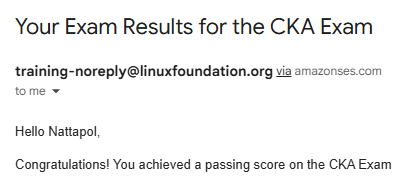
I finished the exam around 12:30 on Tuesday. Having to wait for the result of something I put so much effort into was very anxiety-provoking. Gladly, at 10:30 on Wednesday, I got the congratulation email! \o/
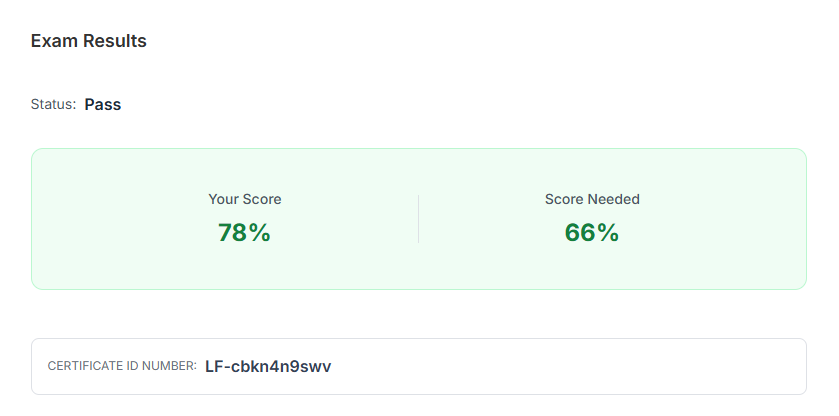
It turned out that I got 78%. This is quite a good score given how I did in the exam. I likely got zero on all 4 tasks that I skipped/wasn’t sure about. 13/17 tasks ≈ 76.5%
I was very happy that I passed, and I’m proud of myself that I could fight through the desperation and conquer it in the end.
The resources I used
I’ve mentioned the resources I used in “My Journey”. Here is a more explicit list with descriptions and my opinion about each resource. I hope this helps you choose your resources for your CKA.
- Udemy Course – Certified Kubernetes Administrator (CKA) with Practice Tests – by Mumshad Mannambeth
The course covers all the topics in CKA. It comes with free KodeKloud labs to practice along with the course, so you don’t have to set up the environment yourself. At the end of the course, there are 3 mock exams.
Some lessons are hard to understand, but to be fair, given the vastness of Kubernetes, it’s very hard to explain one concept without referring to other related concepts that haven’t been visited yet.
Given the value I got (content, labs, mock exams), this course is insanely cheap and worth your money and time. I totally recommend it. - KodeKloud – Ultimate Certified Kubernetes Administrator (CKA) Mock Exam Series
This course contains 5 extra mock exams. You need to subscribe to KodeKloud to be able to access it. The exam content is good. However, I found that the writing is sometimes ambiguous, making me get zero on some tasks, which is very discouraging.
I also don’t like the platform. You can only go to the previous or the next task. You can’t jump to a specific task. The task takes quite some time to load, so you can’t just flag and skip the task because it’ll take a shit load of time to go back. They also give you a very short time to review the solution, which isn’t enough.
I marked these extra mock exams as optional. I would recommend spending time on killer.sh and documentation first. If you have time and money and need more practice, then by all means, go for it. - killer.sh CKA Simulator
You get the killer.sh CKA Simulator sessions for free when you subscribe to the CKA exam. Note that you can access the simulator sessions before scheduling the exam date.
There are two sessions for CKA, session A and session B. Each has different questions. You will get 36 hours of access after activating a session. You can only activate the session once. If you want to activate it again, you have to buy it. So, plan your time wisely.
KILLER.SH IS A MUST. YOU NEED TO DO IT, PERIOD. The GUI is similar to what you will use in the exam. The simulator’s hardness level is similar to the real exam. It’s what made me pass the exam. - Kubernetes Documentation
You can use the documentation in the exam. I recommend at least skimming through them and knowing where to find what you want. - Gateway API Documentation
You can also use the Gateway API documentation. Everything you need about the Gateway API will be in here. Kubernetes documentation rarely talk about the Gateway API. - Helm Documentation
You can also use Helm documentation in the exam.
Thank you, Mumshad, KodeKloud team, and killer.sh team for yourexcellent resources. I wouldn’t pass the test without you.
Tips for those who want to take CKA
Here are some tips that I want to share. I hope these help.
- Be prepared to spend more than 100 hours on preparation.
- Going through the course alone isn’t enough. The course only covers the basics. The labs will give you false confidence. You need to practice doing the mock exams.
- KILLER.SH IS A MUST.
Plan carefully when you want to activate a session. You get 36 hours per session. I recommend doing it on the weekend. Preferably start on Saturday morning (8 AM), you will be able to access it until Sunday evening (8 PM).
You will likely need to do the mock exam at least two times. This will take you at least 4 hours. It’ll take you a lot more time to go through the solution. This took me 6 hours. So, it took 10 hours per session for me. - Master the documentation navigation. You only get 2 hours for 17 tasks. That’s around 10 minutes per task. You can’t afford to go through the document without direction. You need to know right away which template to use, where exactly it is located on the page, and how to access that page.
- `kubectl explain` helps with something like vpa, which doesn’t have any good resources on the doc.
- Double-check every name and namespace. You don’t want to lose the hard-earned score because you type the name wrong or forget to change the name from the copied template.
- Time management is very crucial. If you read the question and don’t know how to do it, flag it and skip to the next one.
What’s next
Doing CKA helped me learn the basics of Kubernetes. I’m quite confident I can complete a clearly given task. However, I think I still lack the real-world experience, as in really deploying something with Kubernetes and maintaining it. As a result, I plan to get my hands dirty and go through the EKS Workshop and Kubernetes the hard way.
(Updated) At the time I wrote this article (August), I had gone through the EKS Workshop a bit. It’s quite an eye-opener. The concept, like persistent volume claim, is a lot clearer when you see it with the AWS EBS example. I expect that, at this rate, after I finish the EKS Workshop and “Kubernetes the hard way”. I’ll be totally ready to work with Kubernetes.
Apart from those two projects, I have committed myself to this Kubernetes journey by registering for the CKA to Kubestronaut Upgrade Bundle (CKAD, CKS, KCNA, and KCNS). Pass the point of no return, no backward glances. I’ll get the Kubestronaut within a year.